Keep the same AI modelin every photo
Your first AI fashion image looks right. The second one has somebody else's face. Here is why that happens and the method we use to keep one model consistent across a whole shoot.
Start here
The short answer.
Show the garment with a photo, describe the model once and never change that wording, split the rest of the prompt into separate lines for perspective, pose, lighting, background and composition, then change only one of those lines per shot. Reuse your best image as a reference as you go.
None of this needs a custom trained model. It is the same discipline a photographer uses on a real set: the casting is fixed before the shoot, and only one thing moves between frames.
Why it happens
Three reasons the face drifts.
The face is described differently each time
Most drift starts in the prompt, not the model. Rewriting the person between shots, even by one word, asks for a slightly different person. Image models take that literally, so a second prompt that says "dark hair" where the first said "long dark hair" is often enough to change the face.
Everything changes at once
A new pose, new framing, new light and a new background in the same request gives the model a lot of room. When everything around the face moves, the face tends to move with it. Changes that are small and isolated keep it anchored.
The garment is described instead of shown
A paragraph about a jacket leaves the model guessing at cut, fabric and colour, and each guess is a little different. When the garment shifts, the styling around it shifts, and the whole image starts to read as a different shoot.
The method
Five steps to one consistent model.
01
Show the garment with a reference image
Attach one clear, evenly lit photo of the product: a flat lay or a simple studio shot. It fixes cut, fabric and colour far better than words, and it removes the biggest source of variation before you write a single line.
02
Write the model once and freeze it
Describe the person in one block: age range, skin tone, hair, face shape, expression, makeup. Save it in a note and paste it word for word into every prompt. Treat it like a casting sheet. You never edit it mid shoot.
03
Split the rest of the prompt into modules
Give each decision its own line: perspective, pose, lighting, background and composition. When the prompt is built from labelled lines rather than one long paragraph, you always know which line controls what.
04
Change one module at a time
For the next shot, swap one line and leave everything else identical. New pose? Change only the pose line. New light? Only the lighting line. Two or three changes can work once the look is established, but start with one.
05
Reuse your best frame as a reference
Once you have a shot you are happy with, attach it alongside the garment photo for the next generations. ChatGPT and Nano Banana both accept reference images, and a finished frame of your model is the strongest anchor you can give them.
Worked example
One outfit, six shots, one model.
These six images come from our Studio Fashion system. The model description and garment never changed. Between shots, only the modules listed under each image were swapped.
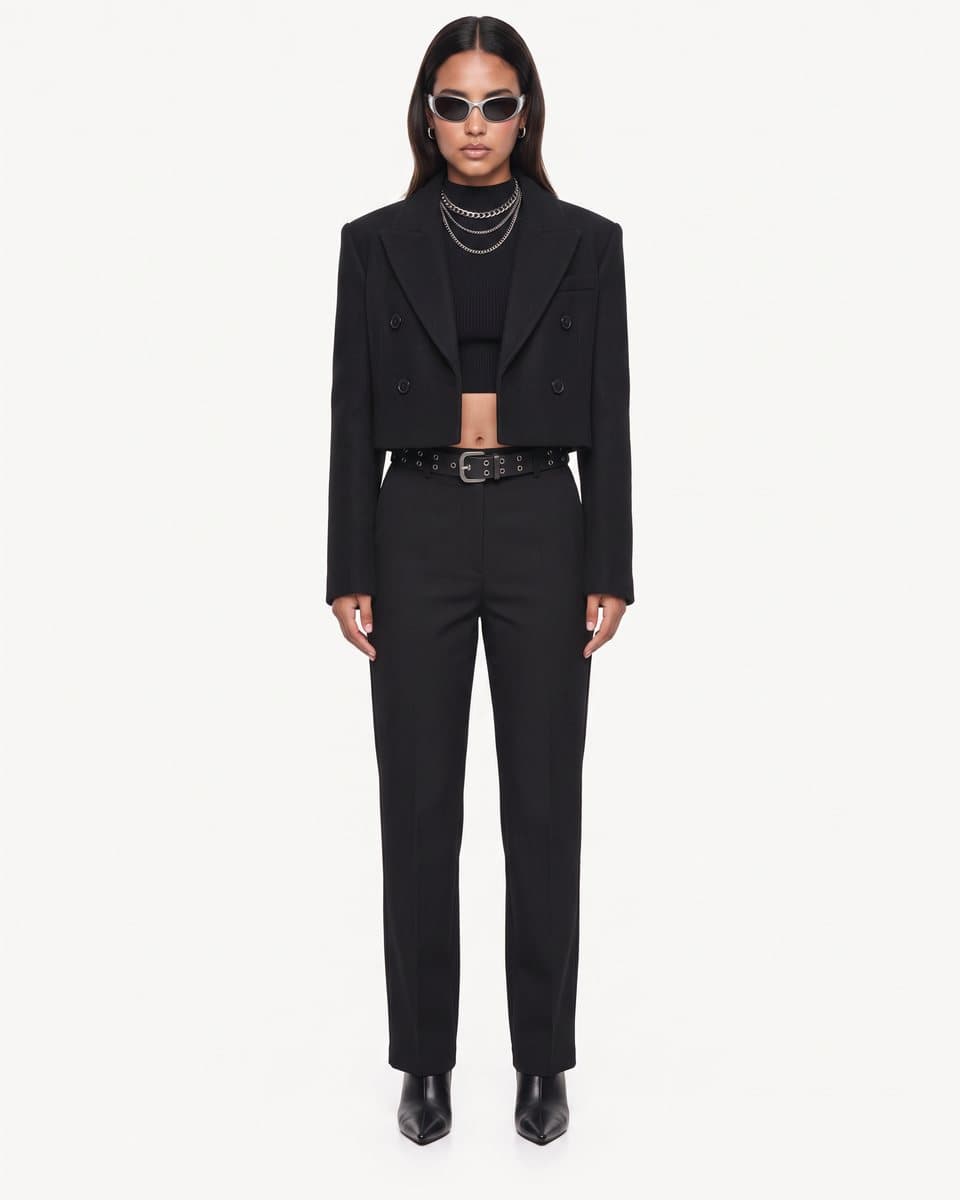
Studio Hero
The starting recipe
Full body · Standing hero · Soft studio · Seamless neutral · Negative space
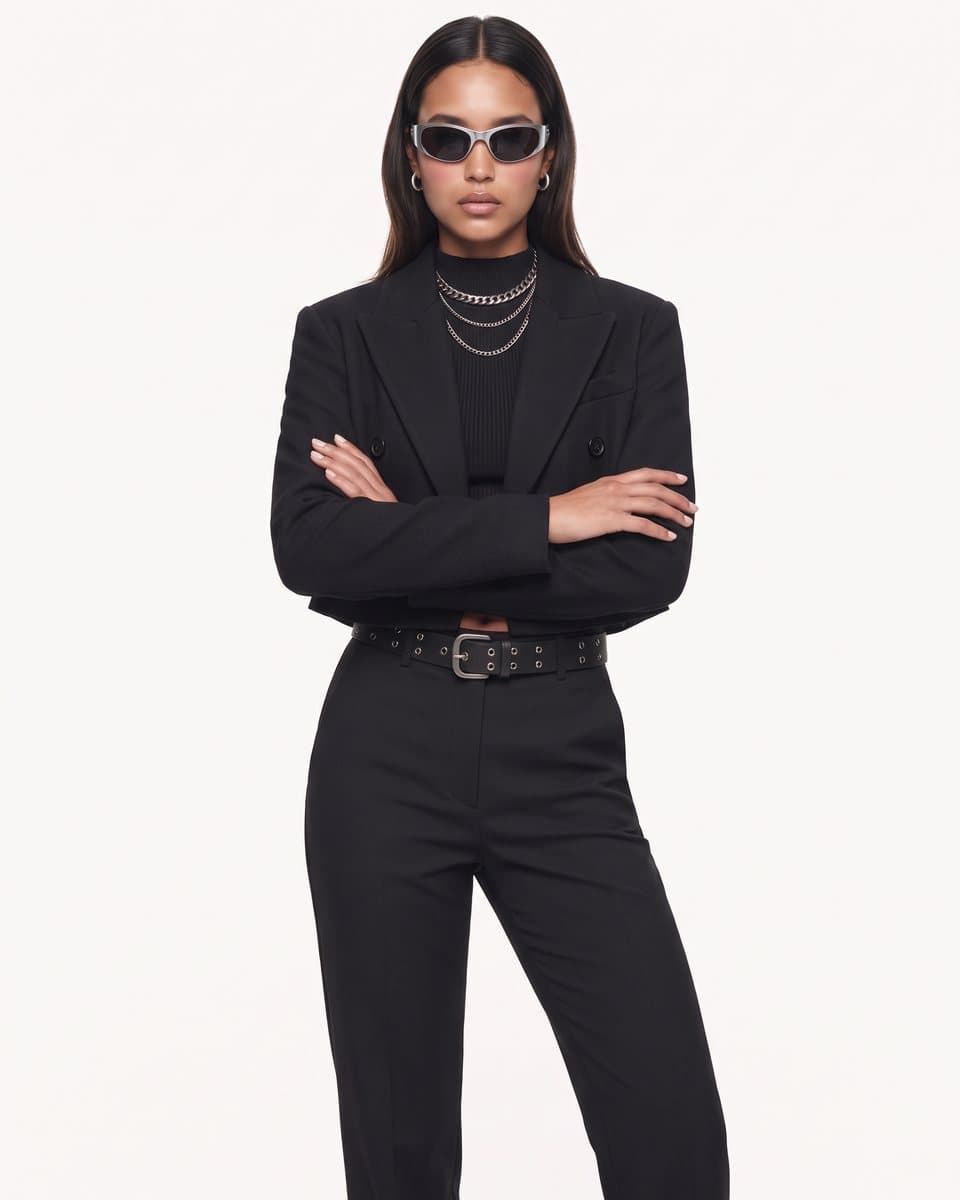
Editorial
Perspective and pose
3/4 body · Arms crossed
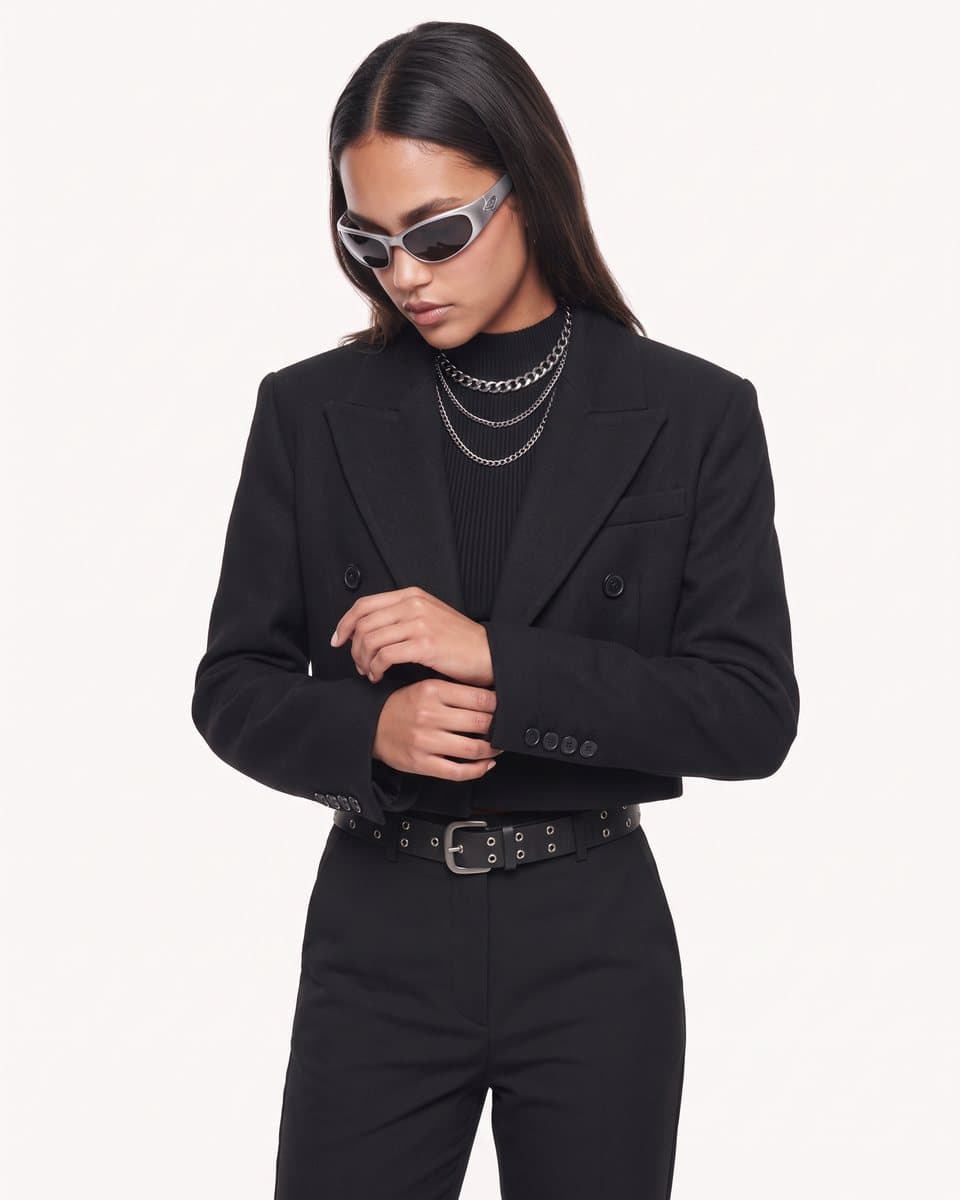
Detail
Perspective and pose
Half body · Sleeve adjust
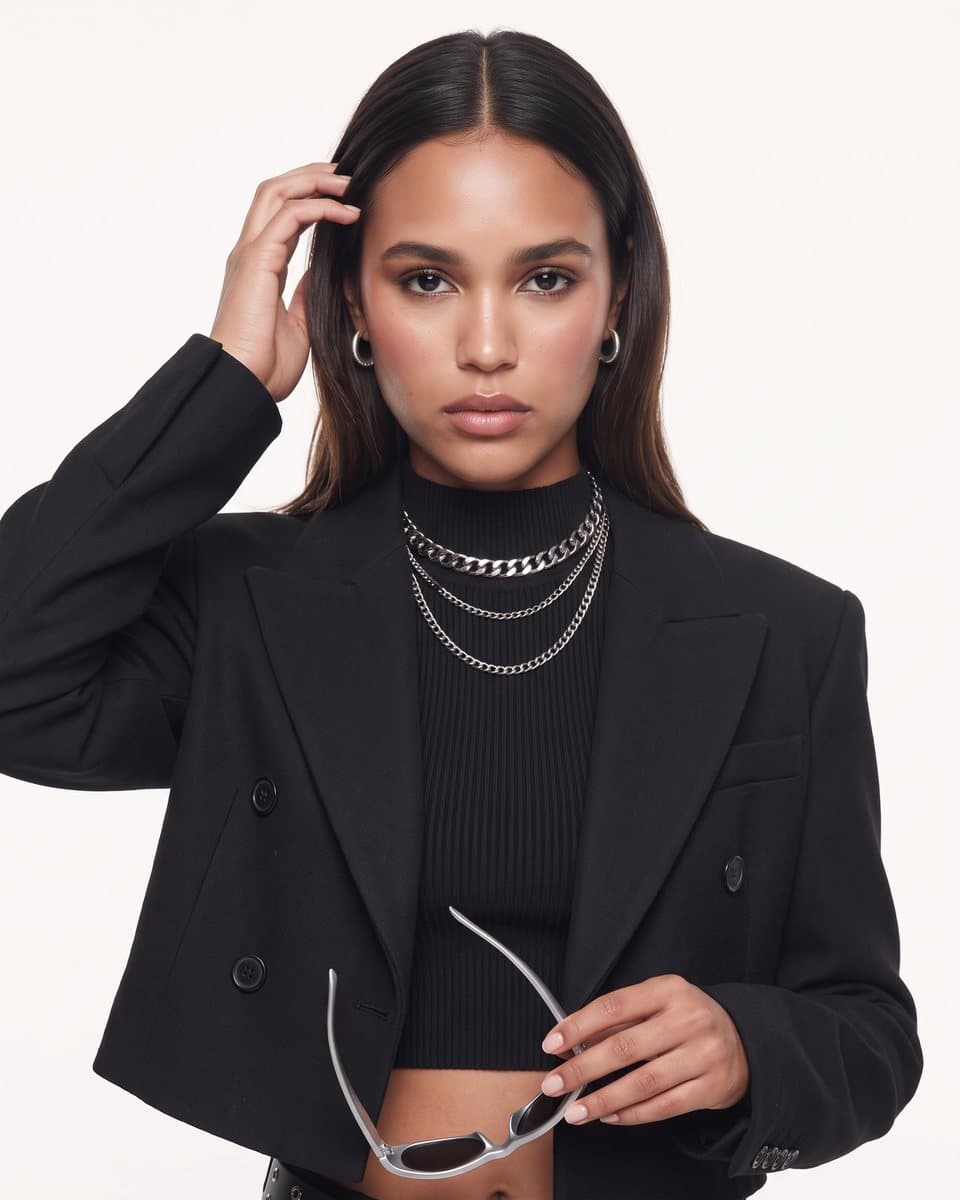
Beauty
Perspective and pose
Close up · Hand in hair
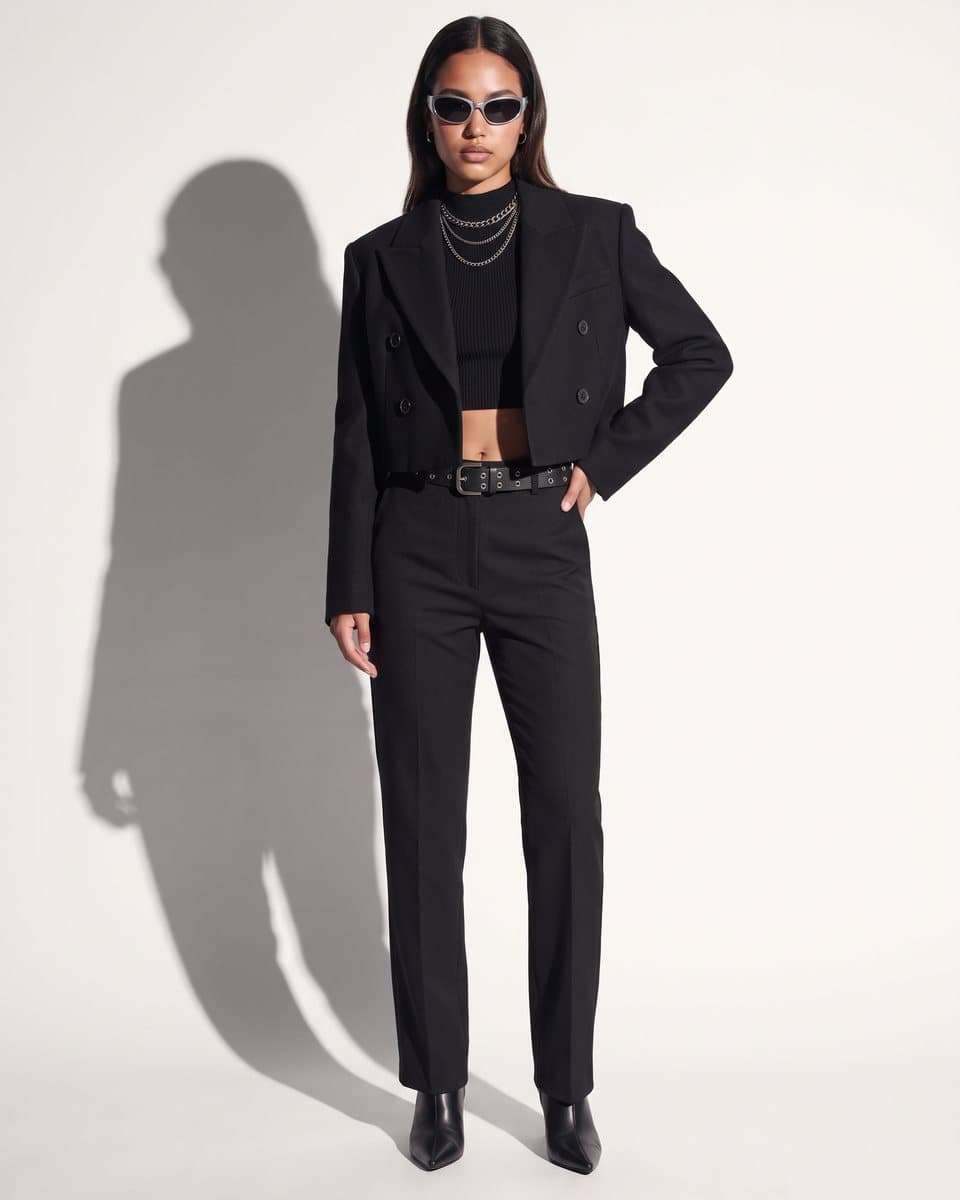
Hard Light
Pose and lighting
Hand on hip · Hard editorial
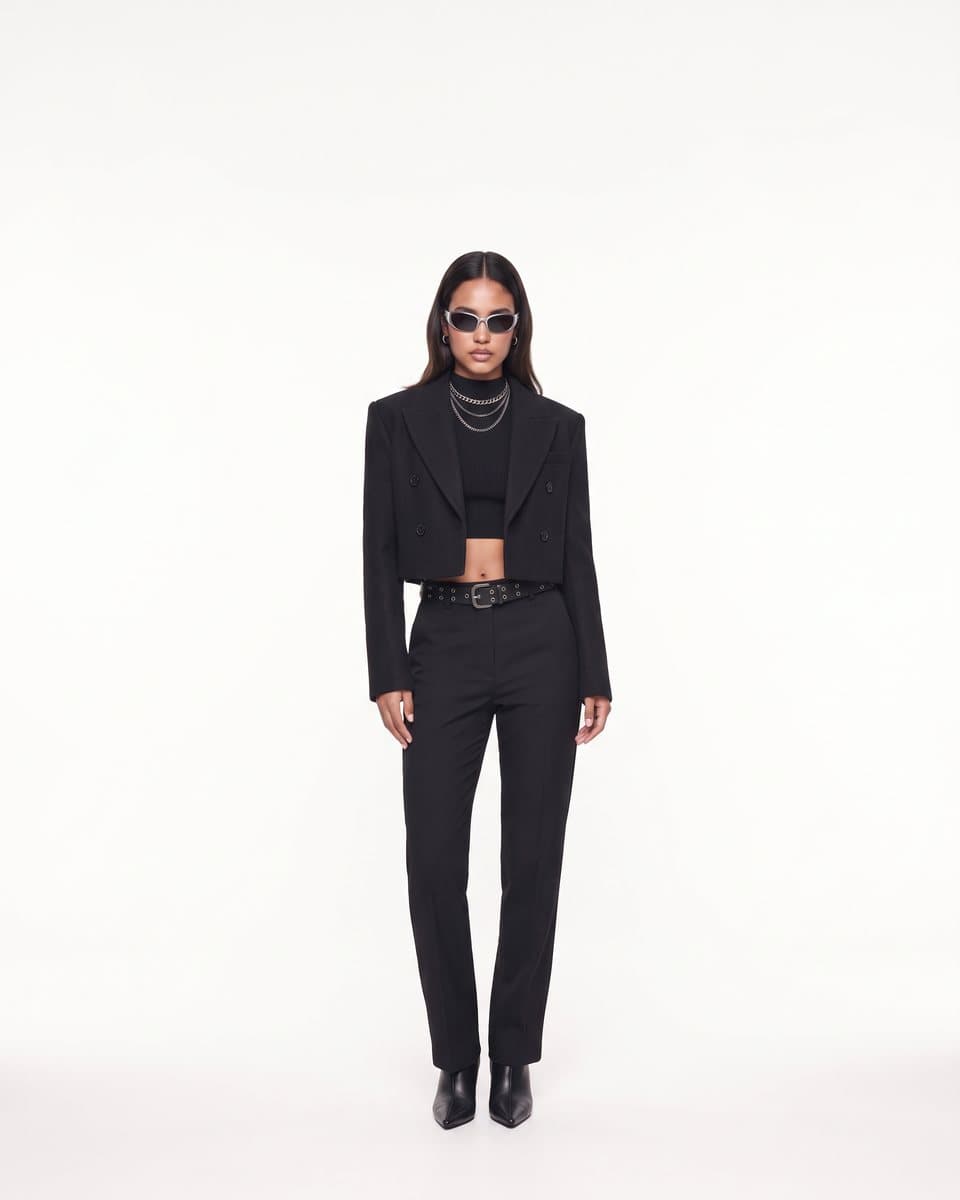
Campaign
Perspective and composition
Wide campaign · Headline space
Template
A prompt skeleton you can copy.
Replace the model and module lines with your own. Keep the labels, keep the order, and edit one module line per new shot.
[Attach: garment photo]  [Attach: best frame so far]

MODEL (never edit):
Woman in her late twenties, warm medium skin, long dark hair parted in the middle, oval face, calm neutral expression, minimal natural makeup.

GARMENT:
Wearing the exact garment in the attached photo. Keep its cut, colour, fabric and details unchanged.

PERSPECTIVE:  Full body
POSE:         Standing hero, weight even, arms relaxed
LIGHTING:     Soft studio key, gentle fill
BACKGROUND:   Seamless neutral paper
COMPOSITION:  Subject centred with negative space

Photorealistic fashion campaign photograph.
Avoid
Mistakes that bring the drift back.
- Rewriting the model description to "improve" it halfway through a shoot
- Asking for a new pose, new light and a new location in the same prompt
- Describing a patterned or textured garment in words instead of attaching it
- Starting a fresh chat for every image and losing the reference frames
- Judging consistency one image at a time instead of side by side
FAQ
Questions people ask.
It can get close, and much closer than a single long prompt suggests. The two things that help most are a model description you never change and attaching your best previous image as a reference. Expect to reject some frames. Consistency improves a lot with the method, but it is not guaranteed on every generation.
Start your project
Imagery worth obsessing over.
Whether it's a single product or a full seasonal campaign, we'll deliver imagery that makes your brand impossible to scroll past.